

LIVE DRAW-ALONG STUDIO
by iPad for Architects
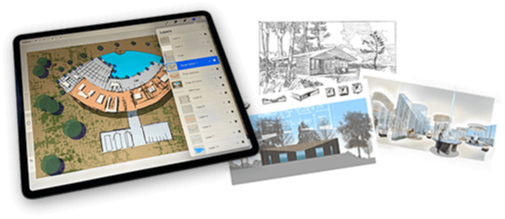
From concept sketch to client-ready rendering in an hour or less
I'll show you exactly how.
Your first meeting with a client is where you win the work. It’s also where most designers spend the most time on work that never gets paid.
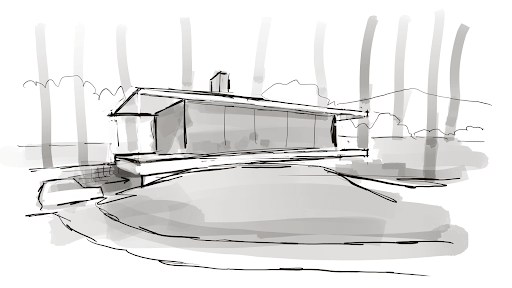
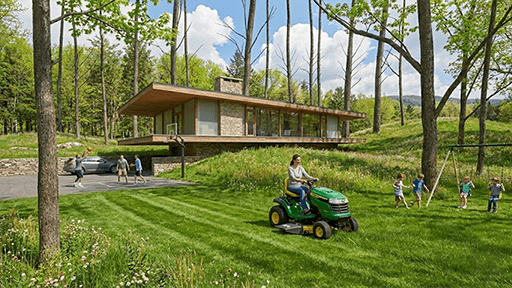
The Live Draw-Along Studio teaches a complete workflow for creating concept design renderings — the kind that let you turn a rough idea into a presentation-ready image in under an hour. In every session, I’ll show you exactly how to sketch clearly and proportionally in Procreate or Morpholio Trace, and how to prompt the AI to turn that sketch into renderings that make your ideas immediately clear and easy to present.
This is not AI doing the design for you. The design is yours. The judgment is yours. What changes is how quickly you can show someone else what you’re seeing in your head, and how clearly it comes across when you do.
No 3D modeling. No third-party renderers. No expensive software. Just you, your pencil, and the AI you now control.
Turns out the people who were told their drawing skills were becoming obsolete have exactly the skills this technology depends on.
Join the Live Draw-Along Studio
FROM SKETCH TO RENDERING IN ABOUT AN HOUR
Save days on rendering. Spend that time where it actually matters.
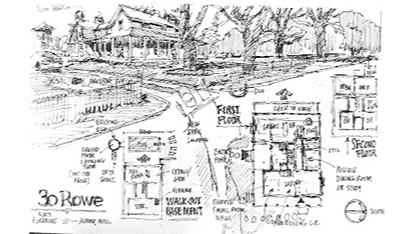

Just the rendering part of a concept design presentation can take days of your time, working up the design, building it in 3D, and rendering it carefully enough that it doesn’t embarrass you.
And because 3D models need enough detail to not look like cartoons, you end up making design decisions that don’t need to be made yet, decisions that can actually cost you the job.
When the same impact can come from a sketch and an AI rendering in under an hour, everything changes. You can produce the renderings yourself, quickly, and use the time you save for the other important work you actually need to do.
In the Studio, I’ll teach you the whole process: how to use Procreate and Morpholio to sketch clearly and with proportional accuracy, and how to prompt the AI with materials, atmosphere, and story, so you can stop spending days preparing concept renderings and start producing them in under an hour.
Learning how to sketch and prompt is the key. The AI does the rest.
That’s where the value is.
ONE SKETCH. MULTIPLE VARIATIONS.
A conversation the client doesn’t forget.
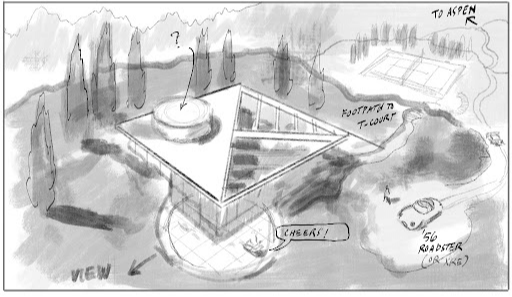
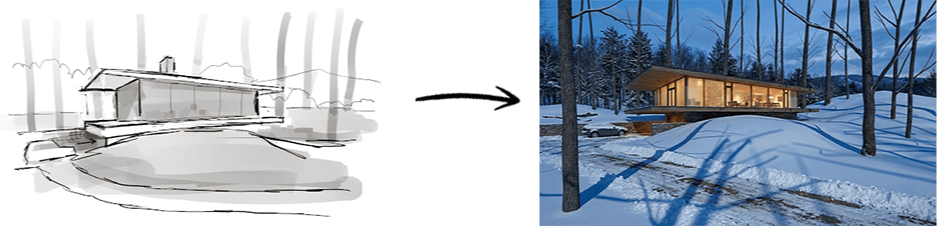
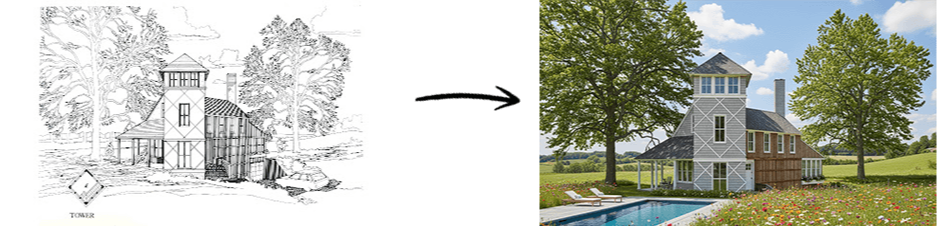
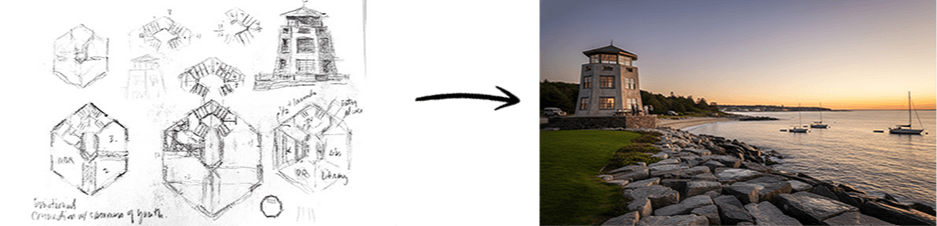
It starts with a sketch: fast, simple, proportionally accurate. Not a finished drawing. Just enough to communicate the idea. That sketch, coupled with your prompts, controls the AI. The image it generates follows your direction.
Then you start to test it.


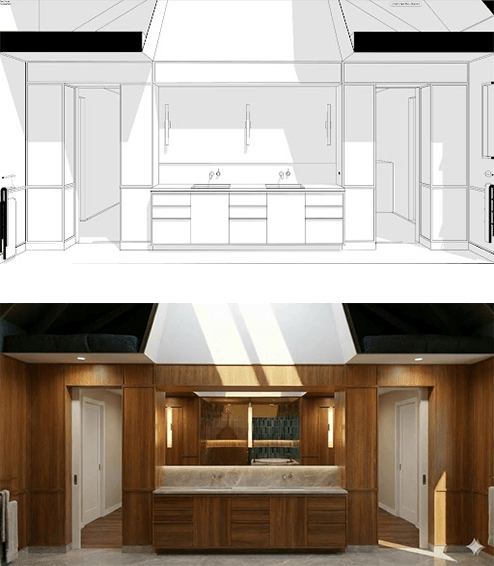
Change the materials. Change the light. Change the season. Each version takes minutes. One sketch supports every direction and keeps the conversation going.
YOUR WAY OF DRAWING IS AN ADVANTAGE AGAIN
It was never about pretty. It was about clarity.
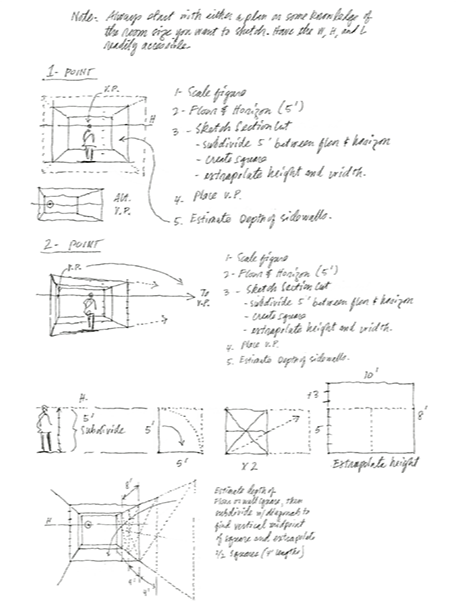
There is a generation of architects who lived through the digital revolution and came out the other side feeling dislocated. Hand-drafting moved to CAD. 3D modeling moved to BIM. Architectural rendering was off-loaded to specialists. At every stage, the message was the same: the pencil — and the designers who still use it — are becoming obsolete.
Except the people being asked to put the pencil down were often the most experienced people in the room. They had decades in the profession. They could look at a plan and know the proportions were right. They could sketch in sixty seconds ideas that took a junior team days to realize in CAD. The computer made rendering accessible, but it didn’t make people better architects. It shifted control to those who could operate the tools, not necessarily those with the most experience or the best judgment.
That’s the gap the digital revolution left behind, and this Studio is built to close it.
The new generation of AI doesn’t reward the best “prompters.” It rewards designers who can sketch their ideas clearly and proportionally. That’s not a skill learned in a computer class. It’s built over a career. And the architects we teased for “still drawing by hand” turn out to be the ones best equipped to take advantage of it.
This is not producing AI images with a keyboard and mouse. This is controlling AI rendering in the most intuitive way possible, with pencil in hand, using sketches you can make in an hour or less, and strategic prompts that fill in the rest.
THE STUDIO SESSIONS
90 minutes. A sketch you drew. Renderings you can use.
Every session follows the same structure. Think of it as a gym for drawing.
We meet Wednesdays at 5:30 ET. We say hello, agree on a subject, an exterior, an interior, or a design idea worth exploring, and then we draw it together in real time on our iPads.
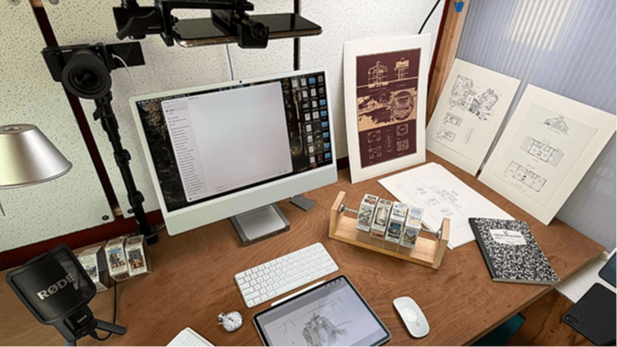
The sketch doesn’t need to be beautiful. If you’ve seen my 10-Minute Challenge videos on YouTube, you know what I mean. It just needs to be clear and proportionally accurate. That’s a skill that improves every week.
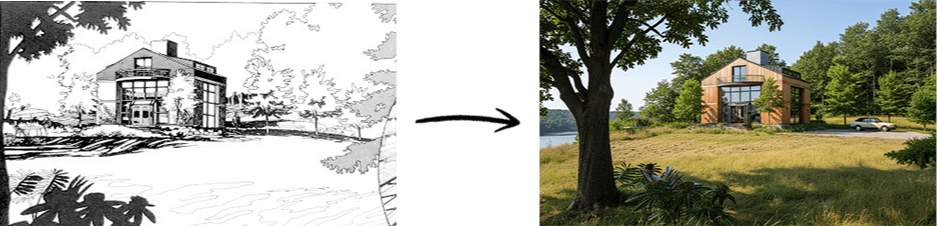
When the drawing segment is done, members upload their sketches and add prompts for materials, atmosphere, and light. The AI uses your sketch as the blueprint and your prompts to shape the result.
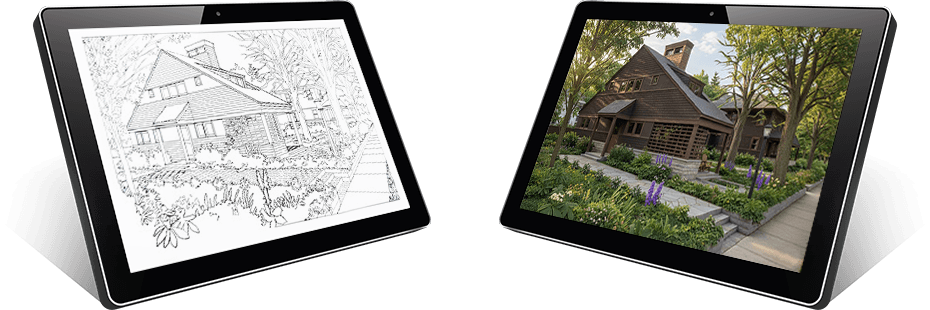
Ninety minutes later, you have two things: a perspective sketch you drew, and one or more AI renderings generated from it.
A complete workflow. Every Wednesday at 5:30. Done before dinner.
"Watching your Nano Banana vids on YouTube, I realized this was the nexus for me to jump start Procreate and update my over 40 years of architectural sketching to the next level. Maybe I will put off retirement for a few more years/decades? I look forward to this old dog teaching the pups a few tricks!"
- Miles Pritzkat, Architect (40+ years experience, firm owner 20+ years)
YOUR ROUGH SKETCHES ARE EXACTLY WHAT THIS WORKFLOW NEEDS
The biggest fear people bring into the Studio is that their drawing isn’t good enough.
It is.
These are not presentation drawings or portfolio pieces. They’re the same fast, loose sketches architects have always made on trace, on napkins, in the margins of meeting notes, the ones that capture an idea in sixty seconds and were never meant to be seen by anyone.
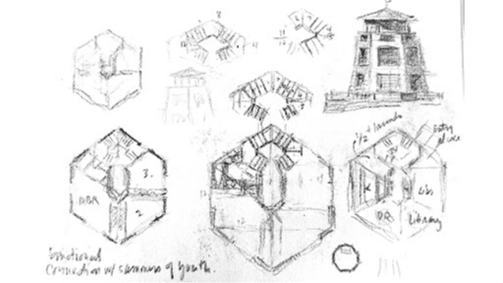
The AI doesn’t care about artistic talent. It reads geometry, proportion, and spatial logic, the things you put into a sketch without even thinking about it. A rough line that captures a ceiling height. A scribbled curve that suggests a canopy. A few strokes to separate glass from stone. That’s what it uses.
Your sketch doesn’t need to be beautiful. It needs to be clear and proportionally accurate. If you’ve been designing buildings for any length of time, you already know how to do that.
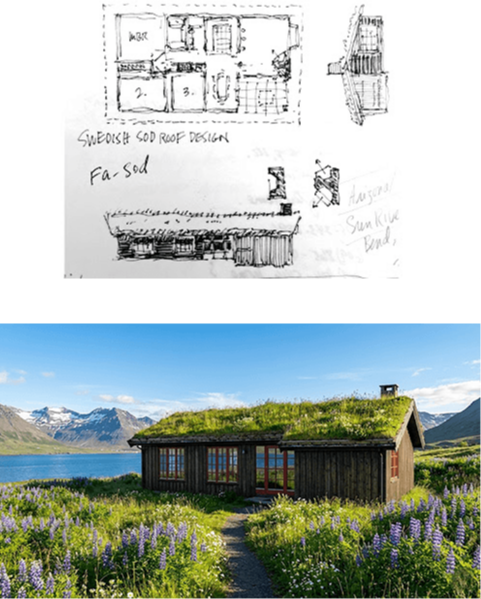
And here’s the part most people don’t expect: give ten architects the same brief and you get ten completely different results. Not because the AI is random, but because every architect sketches differently. Different histories, different instincts, different ideas about what the space wants to be. The AI follows each one.
You don’t need to be a great artist. You need to be a designer. And you already are.
PROCREATE OR MORPHOLIO TRACE
Use the tool you already know.
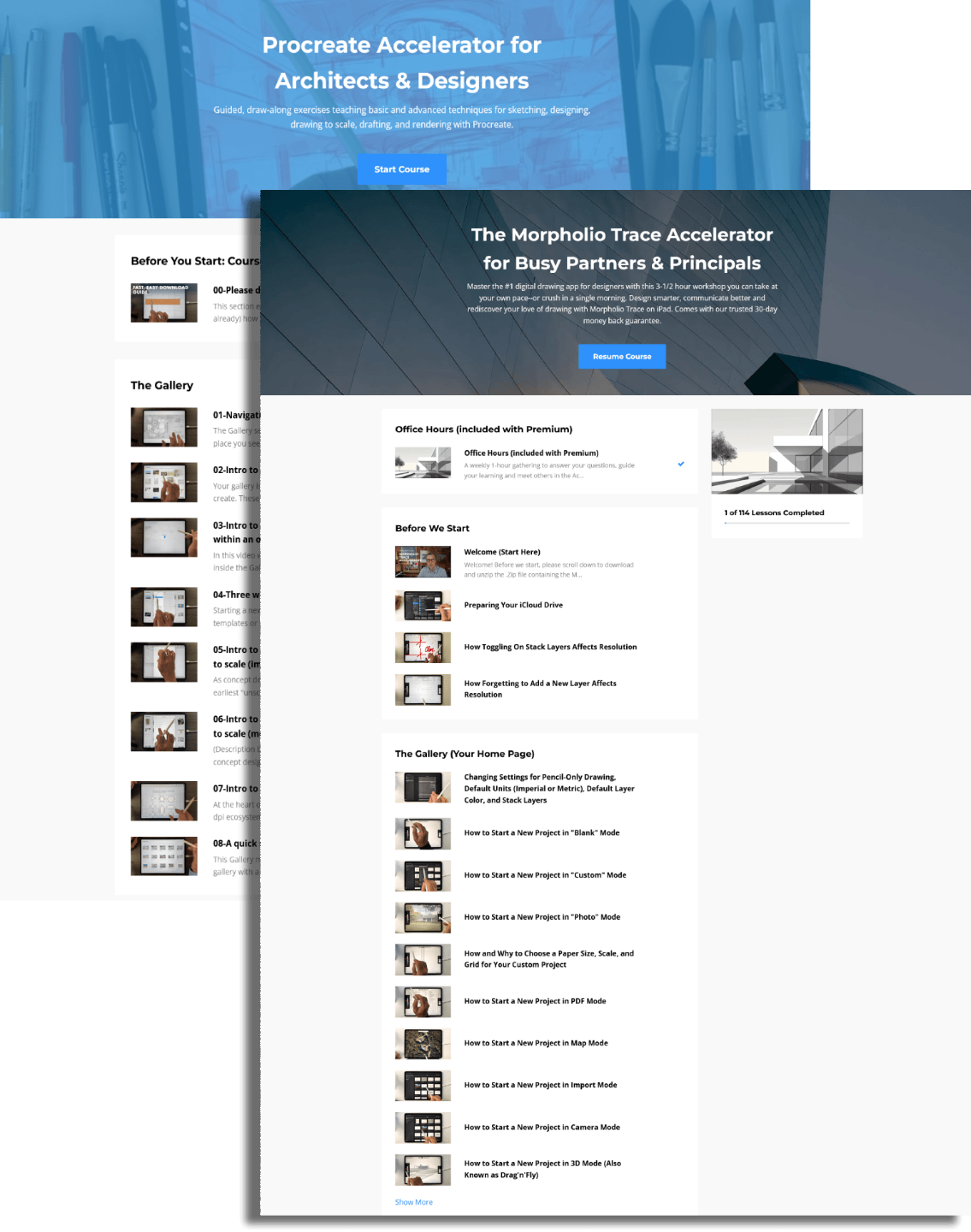
The Studio is built around one thing: sketching. Not a particular app, not a particular style, not a particular level of experience.
Bring whichever tool you already use. Procreate or Morpholio Trace, both allow you to produce what this workflow needs: clear, proportionally accurate drawings.
As a bonus, annual members receive the courses I created to help you get up to speed with both apps, part of the full iPad for Architects course library included with the annual membership.
Use them to refresh your skills or learn from scratch before your first session. Either way, you’ll be ready to draw from day one.
It doesn’t matter how you make the sketch. It just matters that you make it.
"Your style of teaching is great, following along is easy enough for a complete beginner to understand. Thank you."
- Rosario DiBernardo
THE COMMUNITY
Learn faster by seeing how others approach the same problem
In every session, everyone is working from the same starting point, but the results go in completely different directions. That’s where the value is. You’re not just seeing your own work. You’re seeing how other architects approach the same problem, what they prioritize, how they prompt, and how they think.
That accelerates everything.
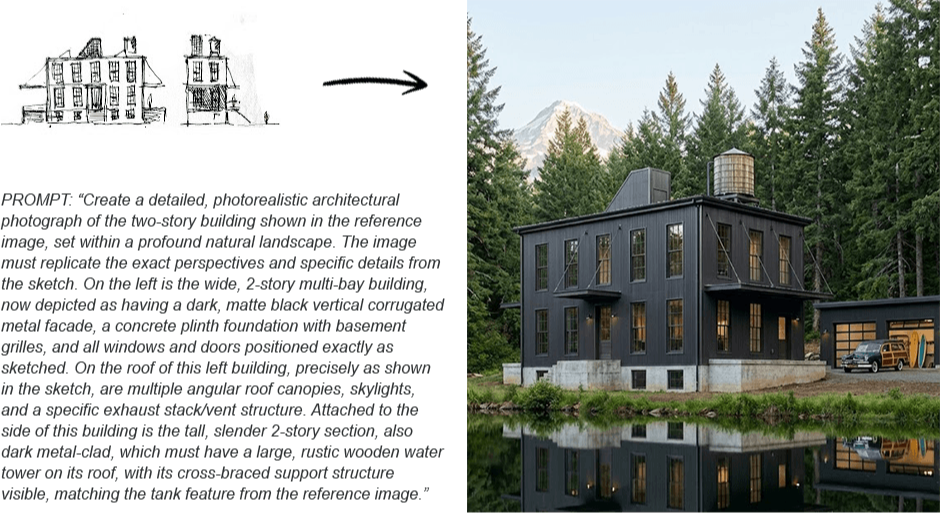
Members share their sketches, renderings, and prompts inside the community platform. Over time, this builds a working archive of real projects, real experiments, and real outcomes, far beyond what can be shown on YouTube or in a newsletter.
Some members post every week. Others prefer to watch, learn, and apply it privately. Both approaches work. You can participate as much or as little as you want.
Either way, you’re not figuring this out alone. You’re seeing it develop in real time, alongside other designers who are doing the same.

MISS A WEEK? THE RECORDING IS WAITING.
Miss a session. Nothing is lost.
Every session is recorded. If you miss a Wednesday, a site visit ran long, life happened, the recording is there when you come back. Same subject. Same workflow.
There’s no session you have to attend and no result you have to post. Watch when you want. Draw when you want. Share when you’re ready.
The recordings also let you study the prompting in detail, what language produced which result, and how different members took the same sketch in completely different directions.
Over time, the archive becomes a working reference of the workflow in action. Not abstract tutorials, real design problems, worked through in real time, by real designers.
It gets richer every Wednesday.
THE REAL BENEFIT
It’s bigger than one meeting.
There are four benefits to mastering this workflow. The meeting is only the beginning.
The first is time. And money. The hours you used to spend on presentations, working up drawings, building models, waiting on renders, layering in details your client never noticed, and sometimes not getting the job anyway. That time is yours again. So is the money you were effectively spending on unpaid work. An hour of sketching and prompting replaces days of preparation. What you do with that time is up to you.
The second is confidence. Not the abstract kind. The kind that comes from knowing your drawing is an asset again, sharpened by weekly practice, validated by the results, and no longer something you apologize for in a room full of people staring at screens.
The third is your portfolio. Every sketch you make in the Studio becomes an image worth keeping. Built or unbuilt, realized or abandoned, every idea you explore produces something that shows how you think as a designer. Over time, that becomes a body of work you can actually use.
The fourth is harder to name, but you’ll recognize it when it happens. It’s the respect that comes back. From clients. From colleagues. And from yourself, for trusting the instinct that kept you sketching when everyone else put the pencil down.
"Thank you sooo much! This really helped me with all my questions. NOW I KNOW HOW TO BEGIN! I appreciate you more than you'll ever know."
- Mimsey Renee
WHO THIS IS FOR
Designing by hand has come full circle. Drawing matters again. This is for the architect who always knew it would.
It's for the designer who has been watching AI arrive with a mixture of curiosity and suspicion — and who wants to control it rather than let it control them.
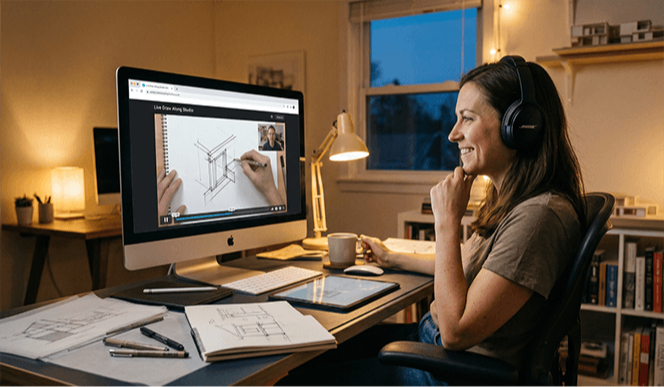
It’s for the principal who wants to own the concept phase again. Not delegate it. Not outsource it. Not wait for something that isn’t quite right, but put something compelling in the room themselves, in the time it used to take just to describe the idea.
It’s for the design professional who used to sketch everywhere, on trace, on napkins, in the margins of meeting notes, and who has quietly missed that version of themselves.
It’s for the designer who is tired of the most important phase of every project being the one that moves too slowly.
And it’s for the person who watched one of the iPad for Architects videos, saw a rough sketch become a rendering in under an hour, and thought, I could do that.
You don’t need to be at a particular career stage. You don’t need a particular level of drawing skill. You need to think in three dimensions, recognize what a strong image can communicate, and be ready for the moment when your drawings become the most convincing images in the room.
JOIN THE DRAW-ALONG STUDIO MEMBERSHIP
The Studio is an open professional studio. Not a course. Not a one-time workshop. It runs every Wednesday at 5:30 ET, and it’s yours for as long as you find it useful.
Two ways to join:
Monthly — $97
Three-month minimum. After that, cancel anytime. If you cancel, access to the archive and community ends with your membership. Three months is enough to learn the workflow and start using it in real projects
Annual — $497
One payment. No refunds. Full access for twelve months: every live session, the complete recording archive, the community platform, Saturday office hours, and the full iPad for Architects course library, over $1,000 in professional iPad drawing education, included.
Miss a month. Come back later. The Studio is there whenever you are, for the full year.
The annual membership isn’t just the better value. It’s a different relationship with the Studio.
Studio Membership
$97/month
Includes:
- Access to live studio sessions
- Access to recordings of sessions you
Premium Membership
$497/annual
Includes:
- Access to the full course library.
- Access to studio session recordings
- Access to live studio sessions
INTRODUCTORY RATE
This price won't last.
The introductory rate, $97/month or $497/year, expires when the countdown ends. You can see it at the top of this page.
After that, the price goes up. There’s no waitlist and no way to come back to this rate.
Join the Live Draw-Along Studio

The Studio meets every Wednesday at 5:30 ET. You’ll need an iPad and either Procreate or Morpholio Trace. A free Google account works for prompting. A Gemini "Pro" subscription is recommended for a more stable experience. Everything else is provided.
Annual members: both accelerator courses will be in your library before the first session. Watch the one that applies to you, then show up Wednesday ready to draw.
The introductory rate expires when the countdown ends. After that, it’s gone.
"Wow! This is really inspiring to go digital on drafting. Thank you very much for showing the way, sensei!"
- Alan Cover