
The Live Draw-Along Studio
Drawing Just Became the Most Powerful Way to Design Again.
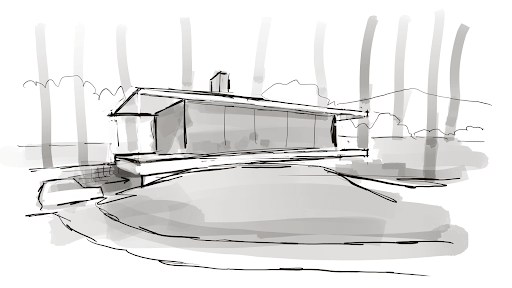
A cabin in the woods, roughed out in a few minutes.
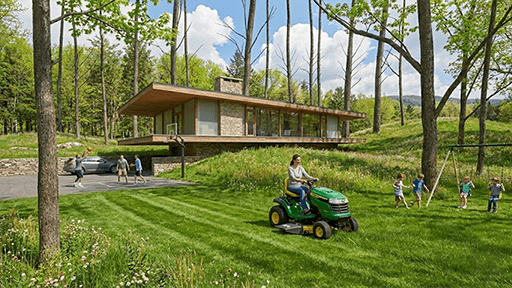
The same cabin ten minutes later — light, materials, and all.
Almost overnight, a new generation of AI became remarkably good at listening to quick architectural sketches.
That’s right. Hand-made sketches. The kind we make on trace, on napkins, on the back of envelopes, or the ones many of us learned to make with mechanical pencils and T-squares.
When this threshold first became visible to me, I assumed it simply meant AI had become much better at producing photorealistic renderings.
It had.
But having had time to reflect, it turns out that wasn’t the real breakthrough.
For the first time, AI can participate in the earliest stages of concept design without taking control away from the architect.
It has quietly become something we’ve never really had before — a design collaborator.
That discovery eventually changed the way I teach, and even the purpose of the Live Draw-Along Studio.
The sketch still leads.
You still make every important decision.
AI simply gives the conversation another thoughtful voice.
Can I still catch up?
Yes. You’re already qualified to begin.
Most of the skill this workflow depends on isn’t something you download. It’s something you’ve spent a career building: the ability to look at a space and draw it in proportion, and to describe what you’re after in plain words. The Studio’s job isn’t to turn you into a beginner again. It’s to reconnect the skills you already have to a set of tools that’s changing fast.
Recently an architect wrote to me. With his permission, part of what he said:
“There’s not that many people that can really bring you into the details and not lose you in the class.”
— a studio participant
That question is the reason this Studio exists — and the answer is yes. If you can still draw by hand, you are not behind. You are exactly the person this workflow was built for. You don’t get yourself “in shape” before you join. You join, and we get you going together — one session at a time.
The Workflow
From sketch to rendering in about an hour
Save days on production. Spend them designing instead.
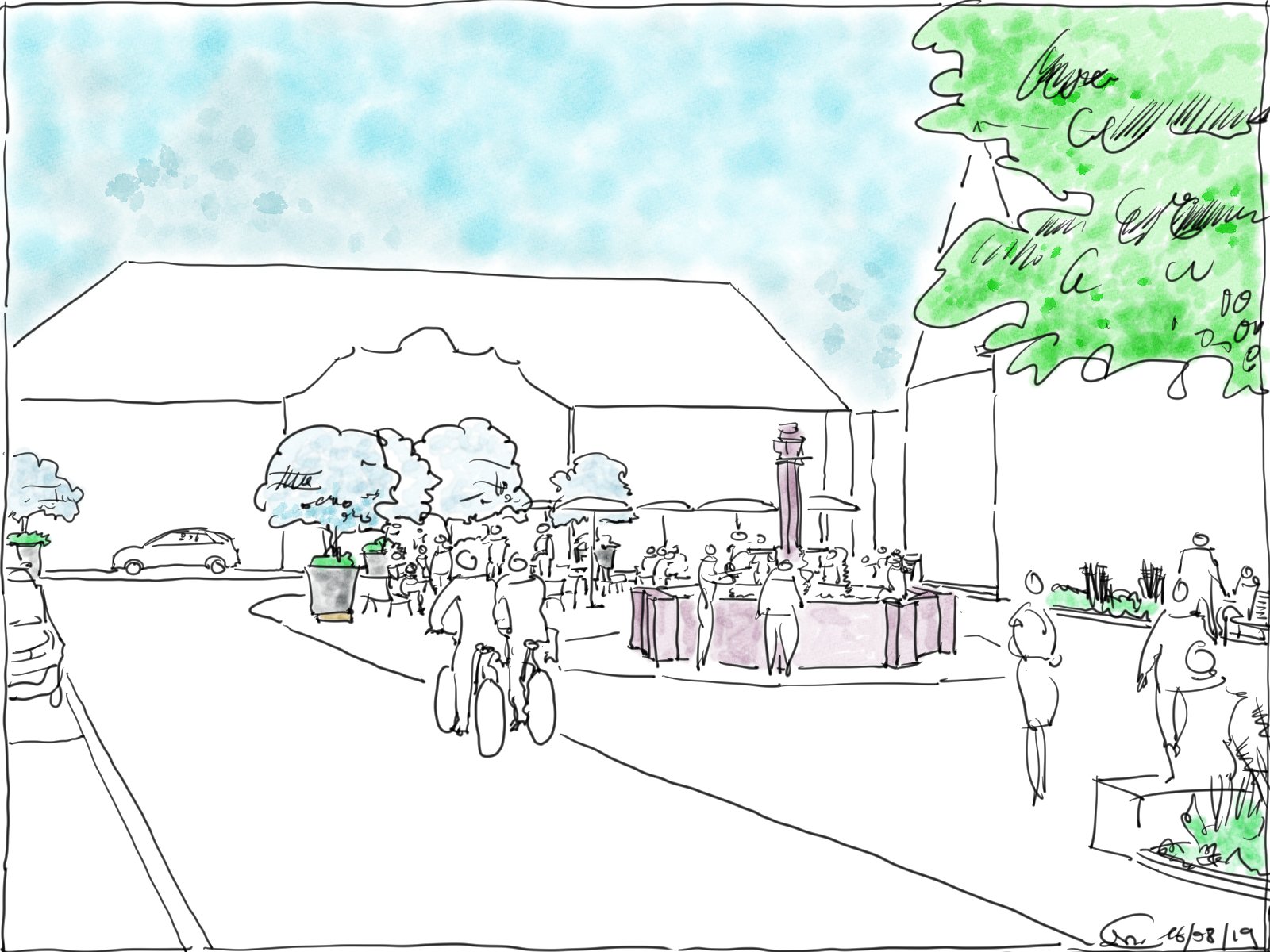
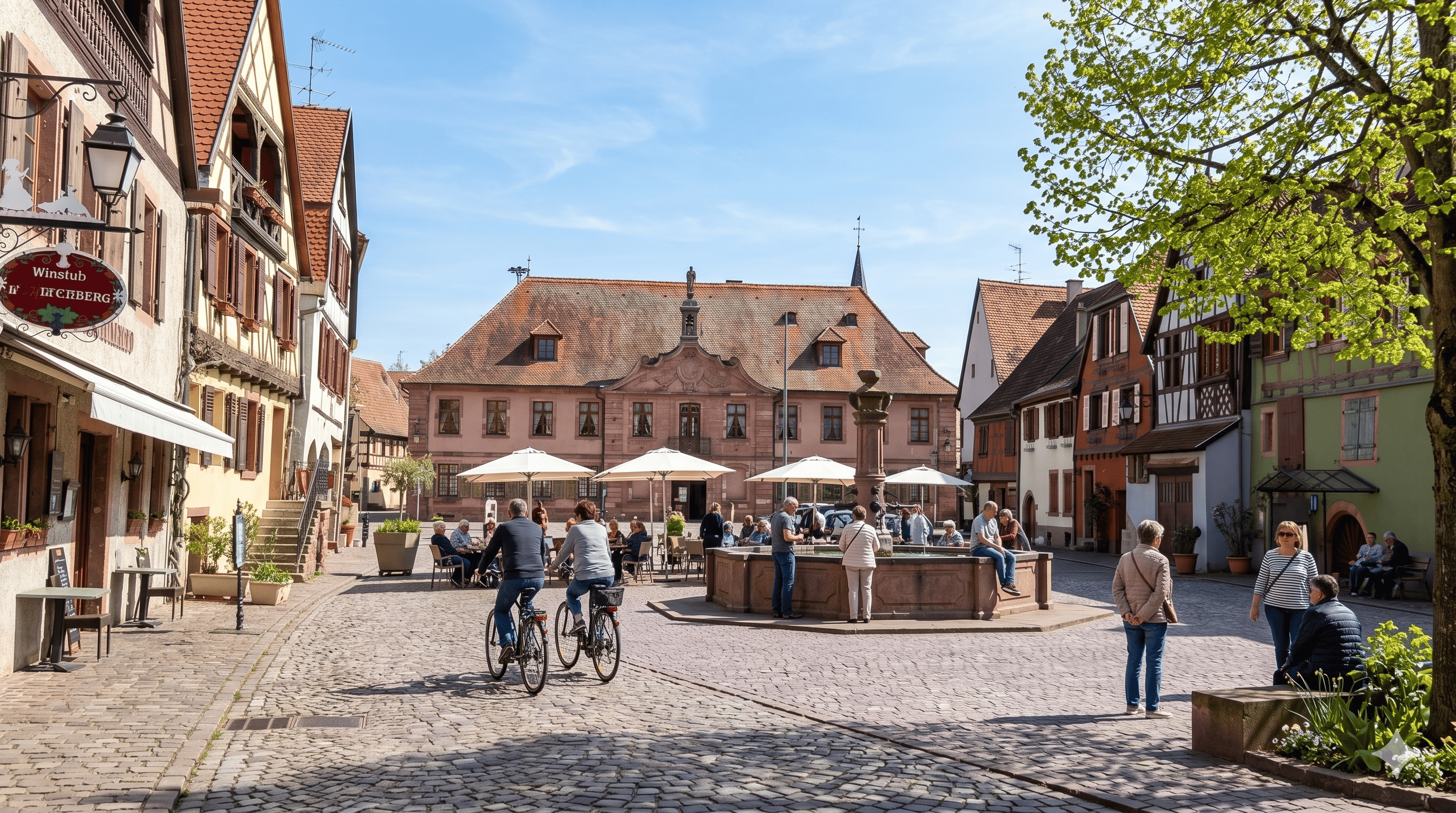
Before: original sketch by student Pascal G. — public square, Austria.
After: Nano Banana rendering of sketch above.
Most architects don’t run out of ideas.
They run out of time.
By the time you’ve built enough of a SketchUp model to produce a convincing rendering, you’ve often made dozens of design decisions that didn’t need to be made yet.
Window proportions.
Materials.
Landscape.
Lighting.
Details that belong later in the process.
Sometimes long before the client has even chosen a direction.
This changes that.
A clear sketch and the right AI workflow can now produce a convincing presentation image in about an hour.
Not because AI is designing the building.
Because it’s helping you continue the design conversation before you’ve committed days building geometry.
That means you can explore more ideas.
Compare more possibilities.
Present them more confidently.
And spend your time where architects create the most value.
Thinking.
Designing.
Listening to the project.
Not waiting for renderings.
In the Studio I’ll show you the complete workflow, from sketch to presentation-quality image, while helping you understand why each step works.
Because the goal isn’t simply faster renderings.
It’s better architecture.
One Sketch
One sketch, multiple variations
Keep the design conversation alive.
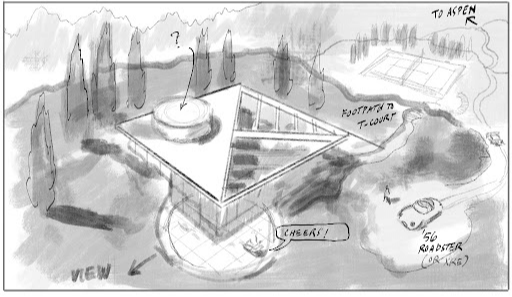
One quick sketch — and there’s more than one way to make it. You’ll learn several inside the Studio.
It starts with a sketch.
Fast.
Simple.
Clear enough to communicate an idea, but still loose enough to invite better ones.
That sketch becomes the beginning of a conversation.
Not the end of one.
Instead of committing days to building a detailed model before you know whether the idea is worth pursuing, you can immediately begin asking better questions.
What if the materials felt warmer?
What if the structure became lighter?
What if the courtyard became the heart of the project?
What if the whole building quietly shifted in another direction?


One sketch, two moods: change the light or the materials and the whole feeling shifts.
Each new variation takes minutes.
Not because the AI is making the important decisions.
Because it’s helping you continue the design conversation while your own ideas are still evolving.
That’s the real breakthrough.
You remain free to explore.
Free to compare.
Free to surprise yourself.
Sometimes the AI confirms your instinct.
Sometimes it suggests something worth stealing.
Sometimes it reminds you why your original idea was the right one all along.
Every variation teaches you something.
Five Ways
Five ways this can help you tomorrow morning
If you’re a practicing architect, you’ve probably experienced at least one of these moments this week.
Maybe all five.
Capture the idea before it disappears
The best design ideas often arrive somewhere inconvenient. A site visit. A client meeting. A conversation that’s supposed to be about something else.
This workflow lets you sketch the idea immediately and have something worth sharing before the moment passes.
Explore alternatives before you open CAD
Before you commit hours to building a digital model, spend thirty minutes sketching two or three massing directions. Each sketch becomes a rendered image.
You walk into the next phase knowing which direction earned further development — not just which one you built first.
Turn a rough sketch into a convincing presentation
A proportionally accurate perspective and a few well-chosen prompts can produce a presentation-quality image without a 3D model, without a renderer, and without committing to details the project hasn’t earned yet.
The client sees the idea. The design is still free to evolve.
Study a renovation by sketching over photographs
Draw directly over a site photo to test an addition, a change in material, or a new opening. The AI renders the result in context.
It’s the fastest way to begin a renovation conversation — and to know whether the idea is worth pursuing further.
Keep the design conversation moving instead of restarting it
When a client asks what if it felt different, you can answer in the room. Sketch the variation, prompt the shift, and continue the conversation rather than going back to square one.
The project keeps moving. So does the relationship.
Your Instincts
Designers who sketch have an advantage again
It was never about pretty. It was about clarity.
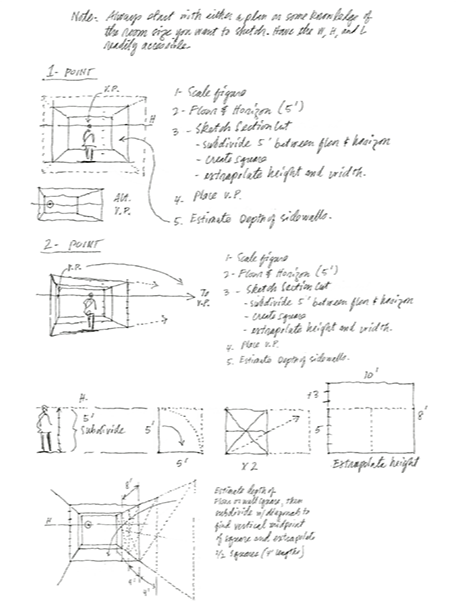
Decades of judgment live in a single freehand line — exactly what the AI reads.
For years we quietly watched drawing become less central to architectural practice.
CAD became essential.
Then BIM.
Then visualization software.
Each step made buildings easier to document.
But often harder to explore.
Today something unexpected has happened.
The architect who can quickly capture an idea with a simple sketch has regained a remarkable advantage.
Not because the sketch is the finished product.
Because it has become the fastest way to begin a conversation with an extraordinarily capable design collaborator.
That’s why rough sketches matter again.
Not polished sketches.
Not beautiful sketches.
Clear sketches.
Sketches that communicate an idea.
Whether you draw every session or simply watch the workflow unfold, the important thing is learning how a clear design thought becomes a conversation with AI.
The computer can now help develop what your pencil began.
That’s a profound change.
For the first time in decades, drawing isn’t competing with technology.
It’s directing it.
The Studio Sessions
The Studio sessions
Wednesday evenings. Ninety minutes. Yours to keep.
Wednesday evenings at 5:00 PM ET, we gather.
Not to watch a pre-recorded tutorial. Not to work through a course. To be in the room as a real design session unfolds — the way architects used to gather around a drafting table and think out loud.
Some members draw alongside me from the opening brief to the final render. Others watch, absorb the workflow, and try it on their own after the session. Both ways of being there work.
We agree on a subject. An exterior. An interior. Something worth exploring. Then we start. I draw on my iPad — you see every stroke through my overhead camera. Draw alongside me, or watch. What happens in the middle isn’t scripted. Sometimes a roof pitch is wrong and we work out why. Sometimes someone catches something in the render that nobody expected, and we follow it. The discoveries are different every week, and they’re ours.
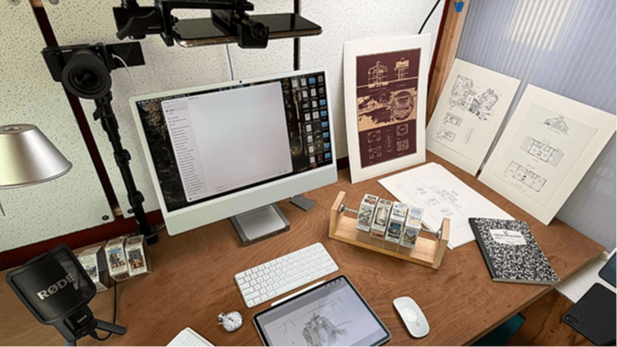
The live setup: my iPad under an overhead camera, so you see every stroke as it happens.
The sketch doesn’t need to be beautiful. It needs to be clear and proportionally accurate. If you’ve been designing buildings for any length of time, you already know how to do that.
When the drawing segment winds down, members upload their sketches — same brief, different buildings. Ten architects. Ten completely different results. Different ceiling heights, different material instincts, different ideas about where the light should come from. The AI follows each one.
We upload. We add prompts — materials, atmosphere, the bit of narrative that helps a client picture themselves inside the space. We watch the results come in. Sometimes the AI does something unexpected and good. Sometimes ridiculous. We fix it, try again, keep going.
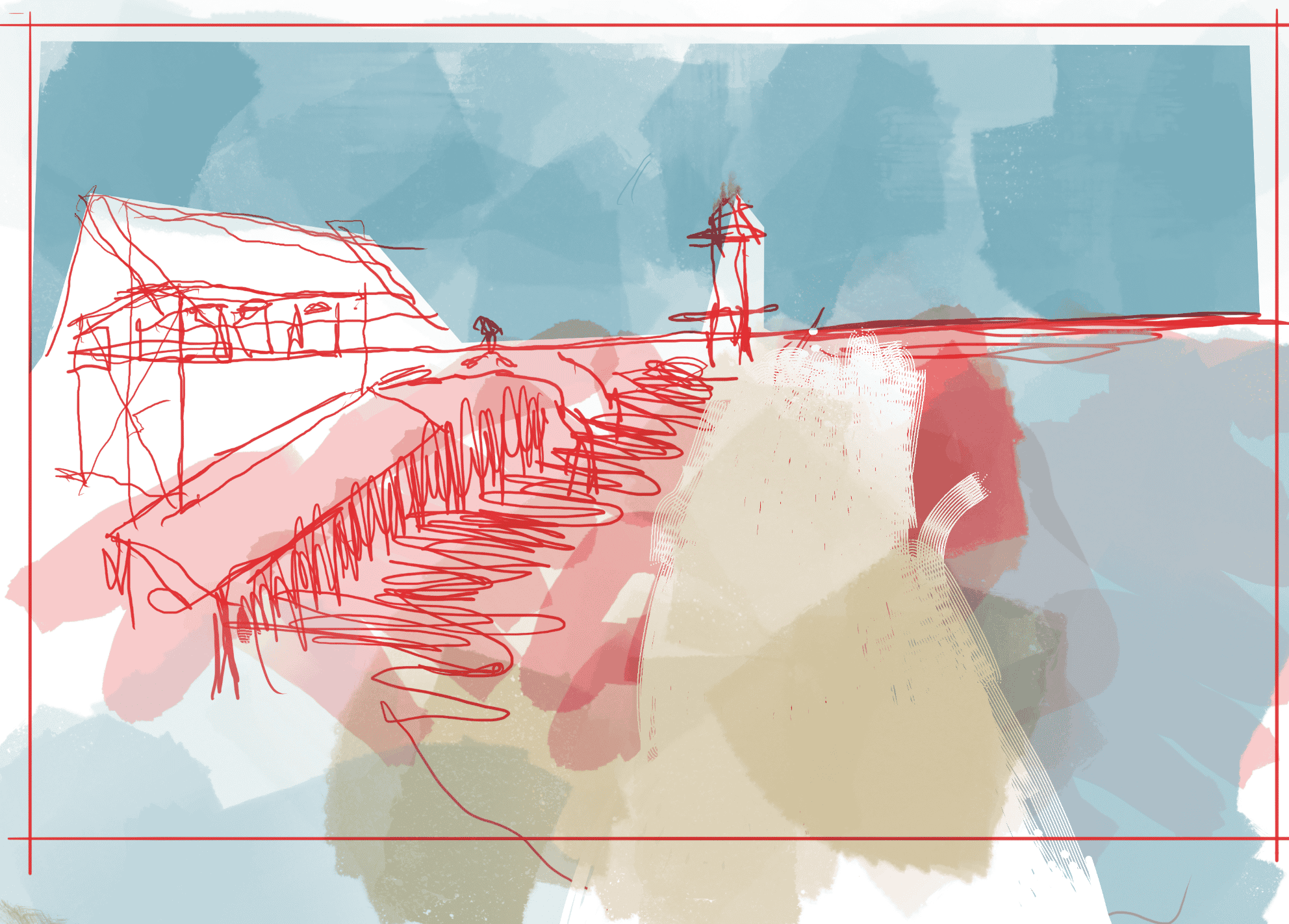
Before: original sketch by student Brent P.

After: Nano Banana rendering of sketch above.
Ninety minutes later, if you drew along, you leave with two things: a perspective sketch and at least one AI rendering generated from it. If you watched, you leave with a workflow you can run yourself this week.
Attend the live sessions whenever you can. When you can’t, the replay is there — same subject, same workflow, same results. Many members join live and watch the recording again later, running the prompts themselves while they pause and rewind. There’s no session you have to attend. There’s no week that locks you out. The Studio is there on the weeks that work for you, and waiting on the weeks that don’t.
“This is really fun. I have to say… you guys bringing up architects and just having people to collaborate with is very special. I’ve been working all by myself for so long. So… this is a real pleasure.”
— studio member
Good Enough
Your drawing ability is not the barrier
Clear thinking is. And you already have it.
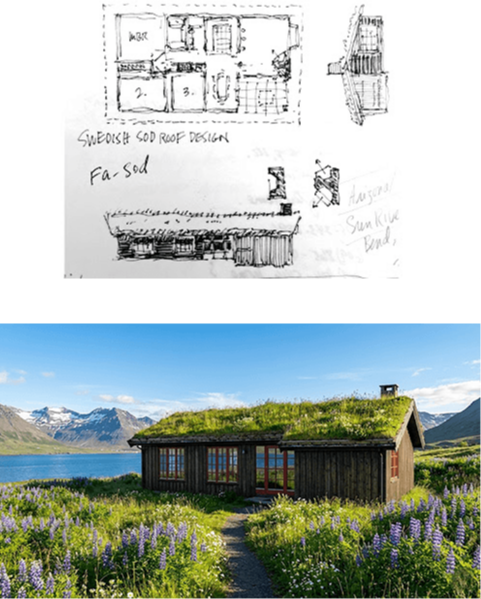
Student work by Brent T. — his sketch, and the rendering he built straight from it.
The biggest fear people bring into the Studio is that their drawing isn’t good enough.
It is.
These are not presentation drawings or portfolio pieces. They’re the same fast, loose sketches architects have always made — on trace, on napkins, in the margins of meeting notes. The ones that capture an idea in sixty seconds.
The AI doesn’t care about artistic talent. It reads geometry, proportion, and spatial logic — the things a designer with your experience puts into a sketch without thinking. A rough line that captures a ceiling height. A scribbled curve that suggests a canopy. A few strokes to separate glass from stone. That’s what it uses.
What the AI cannot read is a vague brief. Unclear geometry. Contradictory proportions. A sketch that doesn’t know what it’s trying to say. Those are design problems, not drawing problems. And they’re problems you already know how to solve.
Give ten architects the same brief and you get ten completely different results — not because the AI is random, but because every architect draws differently. Different histories, different instincts, different ideas about what the space wants to be. The AI follows each one.
You don’t need to be a great artist. You need to be a clear-thinking designer. And you already are.
Your Tools
Procreate or Morpholio Trace
Use the tool you already know.
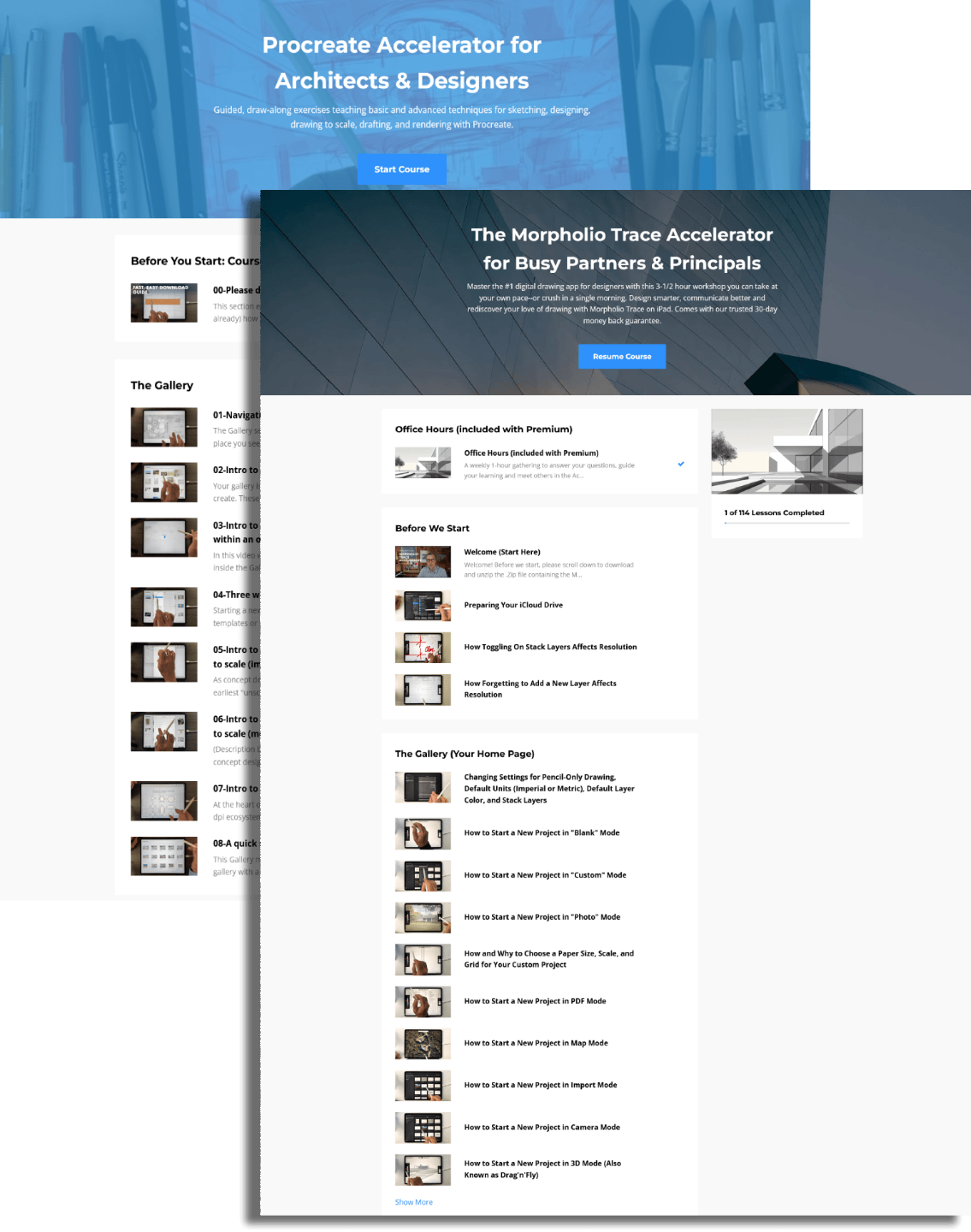
Whichever you already draw in — Procreate or Morpholio Trace — is the right tool here.
The Studio is built around one thing: the sketch. Not a particular app, not a particular style, not a particular level of experience.
Bring whichever drawing tool you already use. Procreate or Morpholio Trace — both let you produce what this workflow needs: clear, proportionally accurate drawings. If you switch apps next year, the process travels with you. If the rendering tools change — and they will — the same sketch drops into whatever comes next.
The AI tools are already evolving. Nano Banana today, something else in six months. In the Studio, we test them together as they arrive, keep what works, and ignore the rest. Nobody spends their weekend chasing. The workflow doesn’t change when the software does.
As a bonus included with every membership, you also get access to the full iPad for Architects course library — self-paced training for Procreate, Morpholio Trace, and SketchUp for iPad. It’s there when you want it, not a hurdle you have to clear first.
Studio Wall + Community
The Studio Wall
Some members post every result. Some prefer to watch and learn. Both kinds belong here.
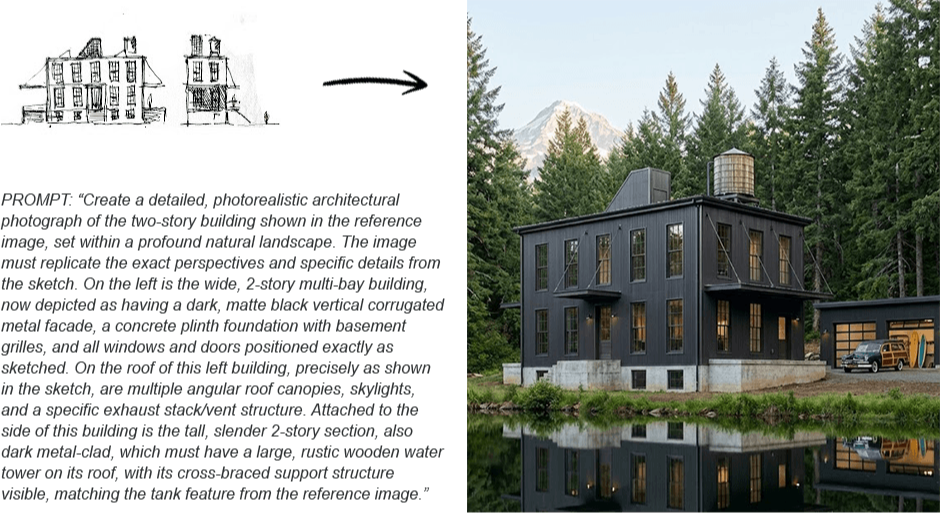
The Studio Wall — where members post results and compare approaches after a session.
During a live session, it’s your choice — watch my screen as the drawing and prompting unfold, or draw alongside me. Either way, you see the full workflow step by step.
Afterward is where it opens up. Members who want to can post their results to the Studio Wall — where you see how other architects took the same brief somewhere completely different. Same starting point, different buildings. Same tools, different instincts. The part worth studying isn’t just your own result. It’s why someone else made the choices they did.
Some members post every week. Others absorb the workflow privately and arrive the following Wednesday better for it. Neither is more serious than the other.
The Wall becomes a growing archive of real experiments — you can learn from it whether or not you’re the one posting.
You’re not figuring this out alone. That’s the point.
Replays
Miss a week? The recording is waiting.
Nothing is lost.
Every session is recorded. If a Wednesday doesn’t work — a site visit ran long, life happened — the recording is there when you come back. Same subject, same workflow, same results.
Many members treat the replay as the session itself: pausing to study a prompt, rewinding to see a technique again, drawing along at their own pace. Over time, the archive becomes a working reference of the workflow in action — not abstract tutorials, but real design problems worked through in real time, by real designers.
There’s no week that locks you out. The archive keeps growing whether you’re there live or not.
The Real Benefit
The real benefit
It’s not a subscription. It’s a place you belong.
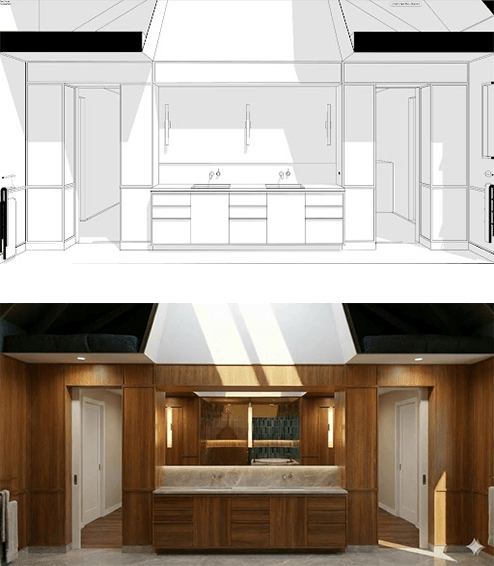
Every idea you explore becomes an image worth keeping.
What actually changes, after a few months inside the Studio, is harder to describe than a list of benefits.
You’re drawing more often — not because anyone is tracking it, but because the session has become part of how you think. The brief from Wednesday carries into the week. You’re still working something through on Friday. You start noticing things in buildings you walk past that you didn’t notice before.
That’s what a studio does that a course can’t. It doesn’t end. It accumulates. The work you did three months ago informs what you’re doing now. The architects you’ve been drawing alongside feel like colleagues, not classmates.
You become part of an ongoing conversation that changes the way you practice.
“I had, much to my complete surprise, after just getting on Gemini, I had like a major successful breakthrough. So it operated just like when you did the demonstration a couple of weeks ago.”
— a Studio architect, working independently
Ready to join us?
The Studio meets the first three Wednesdays of every month.
Who It’s For
Who this is for
Designing by hand has come full circle. Drawing matters again. This is for the architect who always knew it would.
It’s for the designer who has been watching AI arrive with a mixture of curiosity and suspicion — and who wants to control it rather than let it control them.
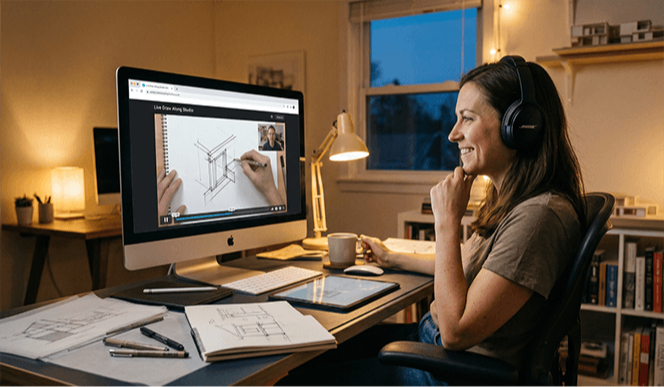
For the designer who never really stopped sketching.
It’s for the principal who wants to own the concept phase again. Not delegate it. Not outsource it. Not wait for something that isn’t quite right — but put something compelling in the room themselves, in the time it used to take just to describe the idea.
It’s for the design professional who used to sketch everywhere — on trace, on napkins, in the margins of meeting notes — and who has quietly missed that version of themselves.
It’s for the designer who is tired of the most important phase of every project being the one that moves too slowly.
And it’s for the person who watched one of the iPad for Architects videos, saw a rough sketch become a rendering in under an hour, and thought, I could do that.
You don’t need to be at a particular career stage. You don’t need a particular level of drawing skill. You need to think in three dimensions, recognize what a strong image can communicate, and be ready for the moment when your drawings become the most convincing images in the room.
“I could always draw, but about ten years ago my skills became obsolete. Then I tripped over the iPad last spring. Now I’m back to drawing. I never expected to rediscover this part of my work — but here I am, having a riot.”
Kathleen Kinan · Architect · Buffalo, NY
And Who It Isn’t
Who this is not for
In fairness, it isn’t for everyone. If you want one-click AI images and would rather not pick up a pencil, this will frustrate you — the sketch is the whole point. If you want a finished, photoreal deliverable with none of your own judgment in it, that’s not what this is. And if you’d rather be handed a fixed curriculum to finish on a deadline, the Studio’s come-as-you-are rhythm won’t feel like enough structure.
But if you can sketch an idea and describe what you’re after, you’re exactly who this is for.
Membership
Join the Live Draw-Along Studio
The Studio is an open professional studio. Not a course. Not a one-time workshop. It runs the first three Wednesdays of every month at 5:00 PM ET, and it’s yours for as long as you find it useful.
Founding Rate
Lock in the founding rate
Join now and it’s yours to keep.
Right now the Studio is open at its founding-member rate. As the room fills, price is the only lever I have to keep live sessions small enough to matter. Join now and your rate is locked for as long as you stay active.
Founding members of the Live Studio also get first access — at special pricing — to the self-paced Nano Banana course when it launches. It’s the advantage of being in the room when the work is being done.
Come Draw With Us
The Studio is open.
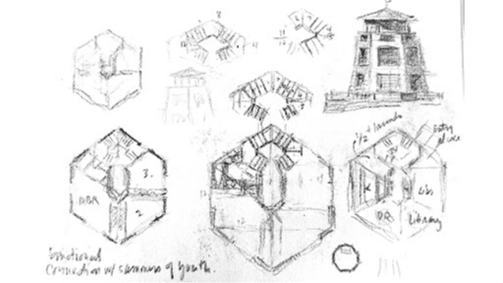
Original sketch from a sketchbook, ten years ago.

Where it ends up: a presentation-ready image that began as a pencil sketch.
You don’t need beautiful drawings, perfect prompts, rendering experience, or any programming knowledge. You need an iPad, a little curiosity, and a willingness to sketch.
When you join, you’re onboarded right away — a few simple steps to be ready for the next Wednesday session. Most members bring an iPad running either Procreate or Morpholio Trace. And if all you have is pencil and paper, that works too — sketch it, photograph it, and let Gemini take it from there.
Your founding rate is locked in from the moment you join.
“I tried both of them out and they gave me results beyond my wildest dreams. Things I would have never thought of.”
— a participant, Live Draw-Along Studio