
NANO BANANA FOR ARCHITECTS
by iPad for Architects
Nano Banana for Architects · Self-guided course
The way architects design
and present ideas
just radically changed.
I’ll show you how to take advantage of it, without giving up control of your design.
Most of us, including me, just a few months ago, had the vague feeling that using AI to help with design or presentation drawings would be one giant frustration waiting to happen. Either we’d give up after a few miserable, tail-chasing sessions with Midjourney or ChatGPT, or we’d have to learn complicated new ways of prompting--and keep prompting--before we’d ever get anything genuinely useful.
Then I started using Gemini’s image-making feature, Nano Banana, and that assumption went out the window.
Not simply because it was easy to use, but because I discovered I could start with the things architects already make: sketches, drawings, photographs and 3D wireframes. I could add a few instructions in ordinary architectural language and, minutes later, get back remarkably convincing images that actually respected my design.
The two images below show exactly what I mean.
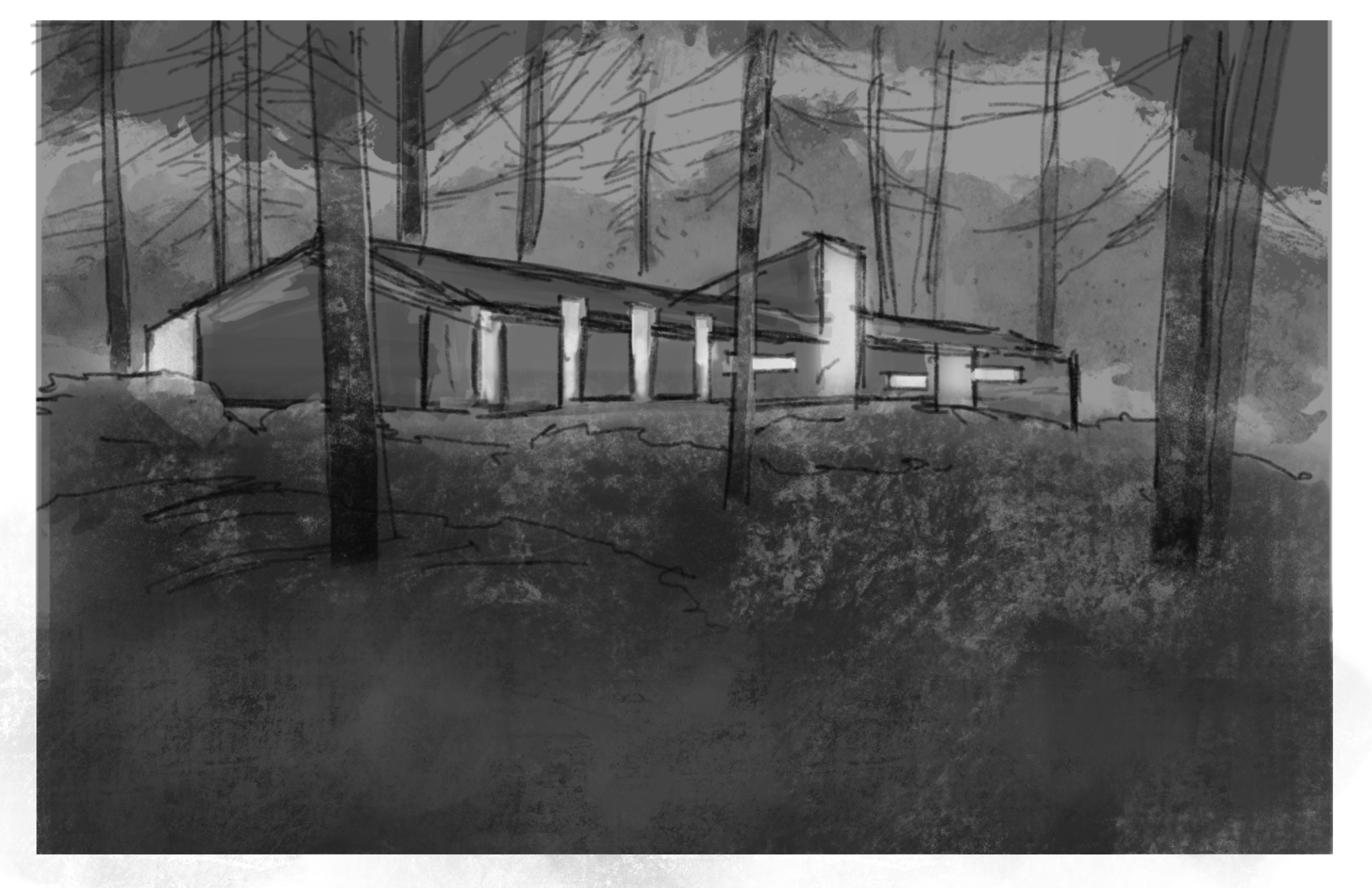

Original sketch on the left; Nano Banana image minutes later on the right
Start with the architectural idea you already have, no matter what form it takes. A few minutes later, you have a photorealistic rendering that not only captures your design intent, but helps your client imagine themselves there.
And that’s when I realized something much bigger had happened.
No need to build an elaborate 3D model. No dedicated rendering software to learn. No staff person or third-party renderer to brief on the project, wait for, mark up, and send back for another round.
With Nano Banana, the entire pipeline from architectural idea to presentation rendering just collapsed from days to minutes.
And you stay personally in control of the design, the materials, and the storytelling the whole way through.
That realization sent me down a rabbit hole. I spent the next several months testing how far I could push this, and more importantly, figuring out how to make it genuinely useful in an architect’s everyday design process.
The result is Nano Banana for Architects.
Start for $197 →WATCH THIS FIRST
A quick hello, and the one idea the whole course is built on.
FROM ARCHITECTURAL IDEA TO PRESENTATION IN ABOUT AN HOUR
Save days on preparing for presentations. Spend that time where it actually matters.
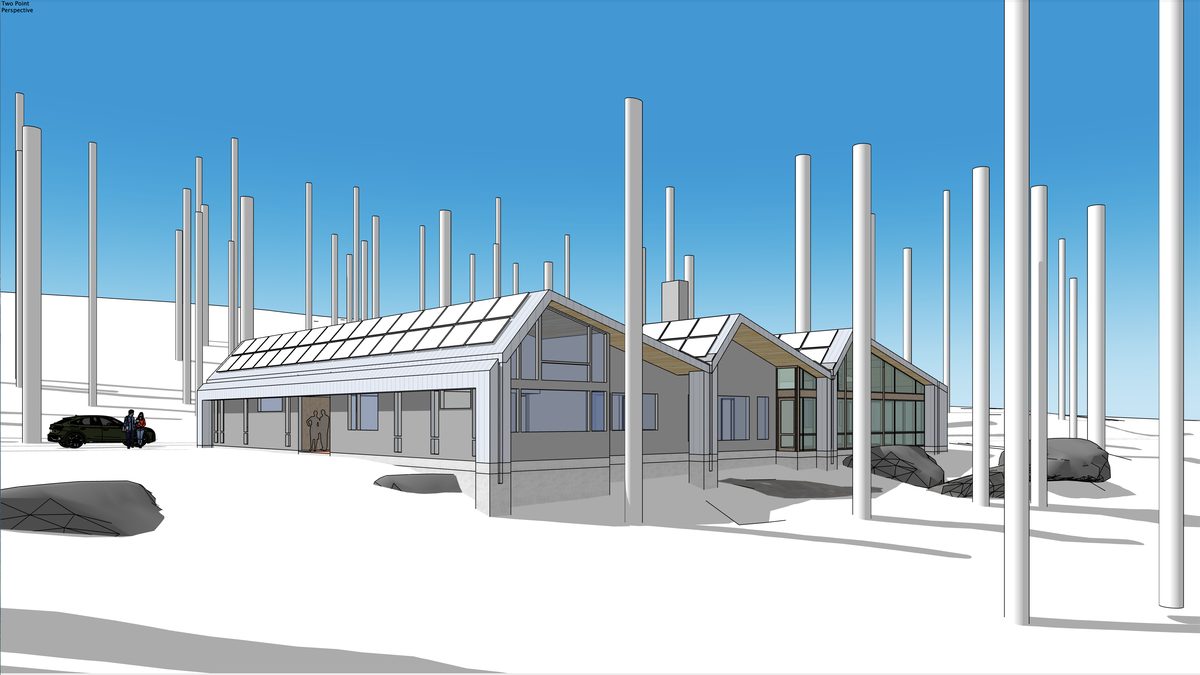

SketchUp model on the left; Nano Banana rendering minutes later on the right
Just the rendering part of a concept design presentation can take days of your time, working up the design, building it in 3D, and rendering it carefully enough that it doesn't embarrass you.
And because 3D models need enough detail to not look like cartoons, you end up making design decisions that don't need to be made yet, decisions that can actually cost you the job.
When the same impact can come from a sketch and an AI rendering in under an hour, everything changes. You can produce the renderings yourself, quickly, and use the time you save for the other important work you actually need to do.
In this course, I'll teach you how to move from the drawings and models you already make into convincing architectural renderings, then keep working with them: directing materials, atmosphere and story, correcting what the AI misunderstood, and exploring where the design might go next.
Your architectural judgment is the key. Nano Banana gives you an extraordinarily fast way to act on it.
That's where the value is.
ONE SKETCH. AN ENTIRE DESIGN CONVERSATION.
A conversation the client doesn’t forget.
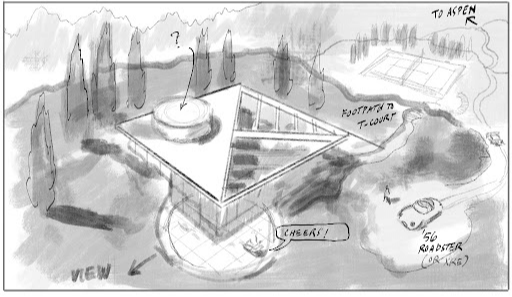
The original sketch.
It starts with a sketch (OK, admittedly not the best lol): fast, simple, proportionally accurate. Not a finished drawing. Just enough to communicate the idea. That sketch, coupled with your prompts, controls the AI. The image it generates follows your direction.
Then you start to test it.


Two Nano Banana variations from the same sketch — winter on the left, summer on the right
Change the materials. Change the light. Change the season. Each version takes minutes. One sketch supports every direction and keeps the conversation going.
YOUR WAY OF DRAWING IS AN ADVANTAGE AGAIN
It was never about drawing talent. It was about clarity.
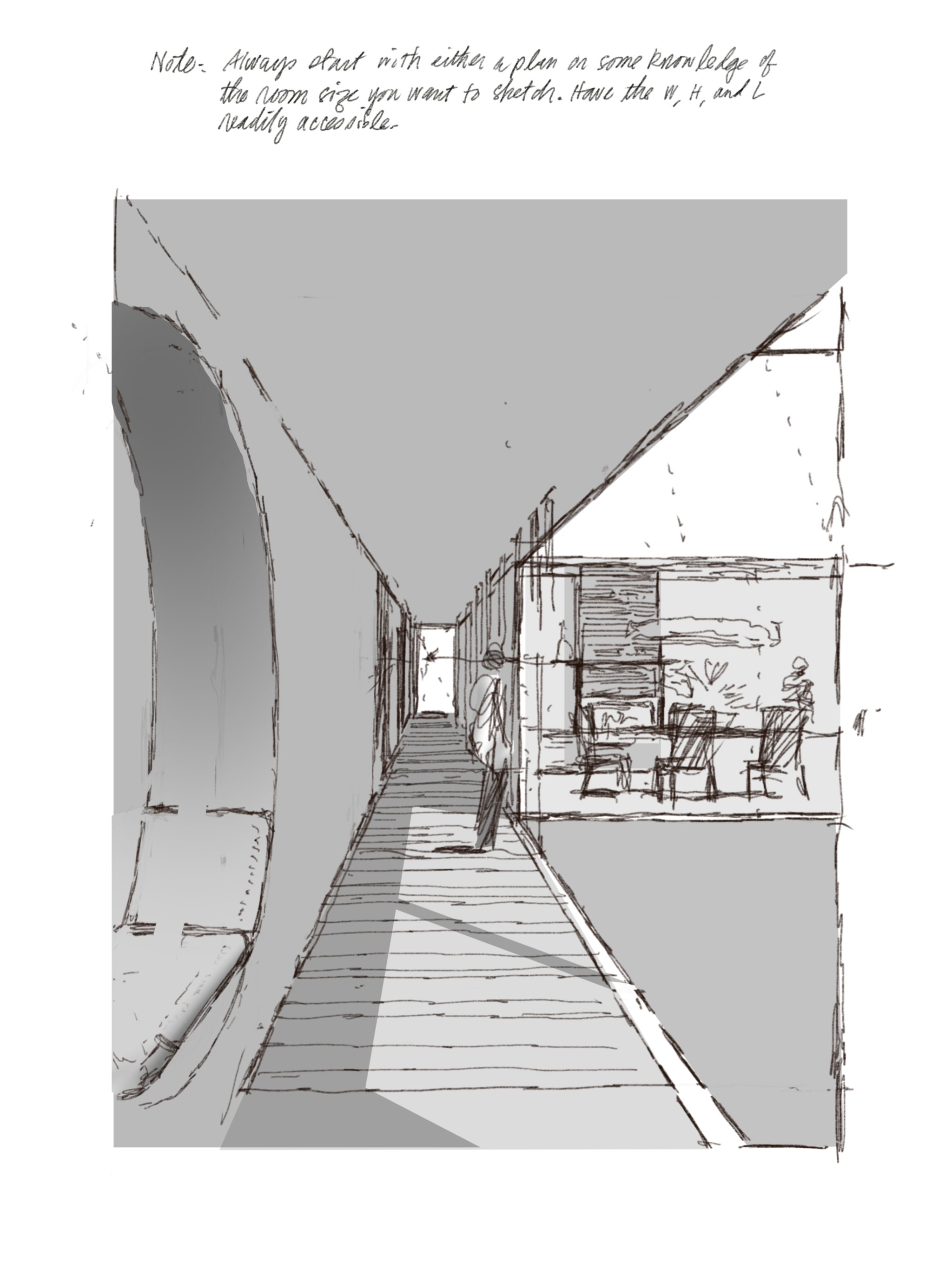
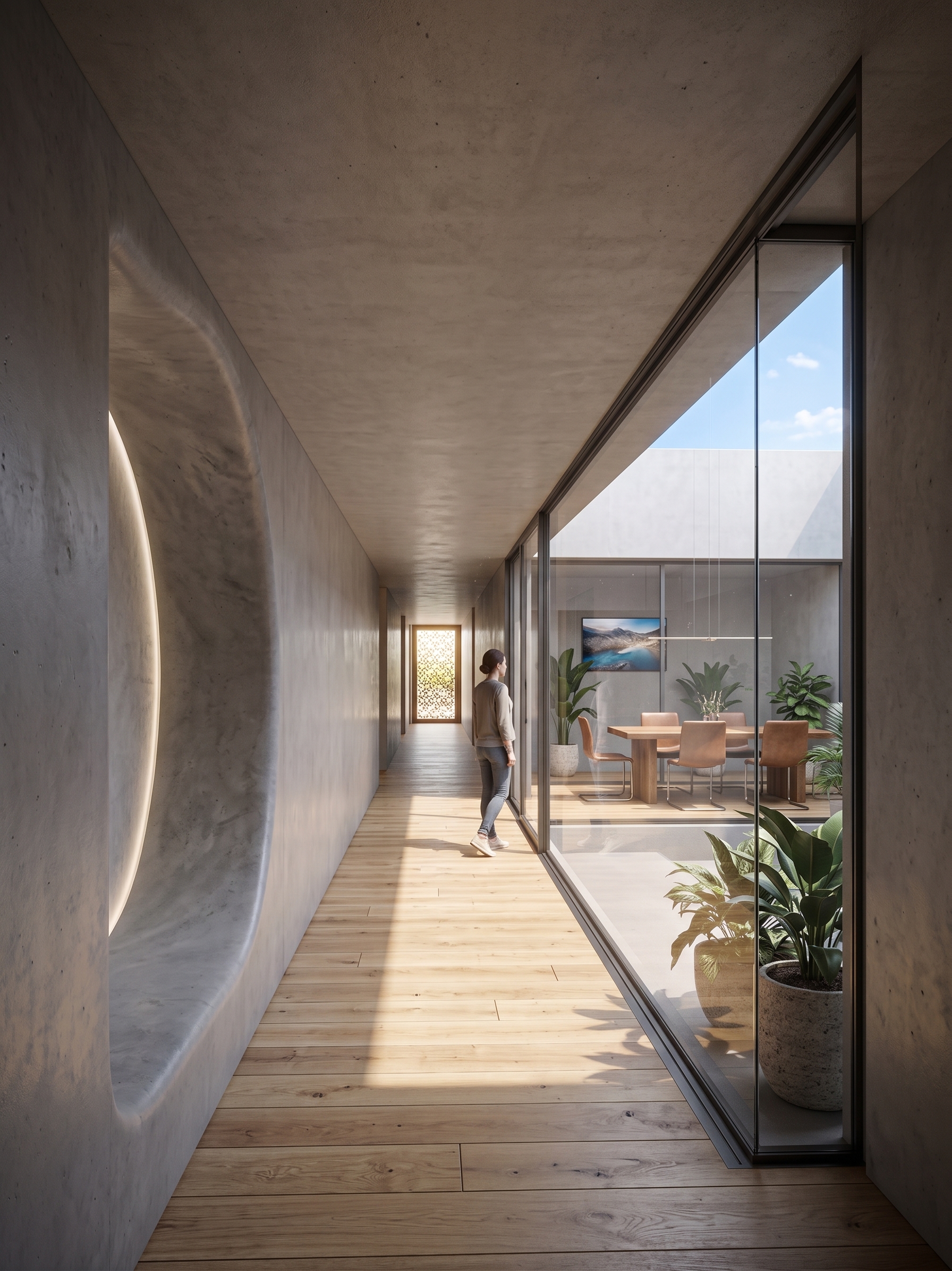
Gallery and courtyard: original sketch above; Nano Banana image minutes later below
There is a generation of architects who lived through the digital revolution and came out the other side feeling dislocated. Hand-drafting moved to CAD. 3D modeling moved to BIM. Architectural rendering was off-loaded to specialists. At every stage, the message was the same: the pencil — and the designers who still use it — are becoming obsolete.
Except the people being asked to put the pencil down were often the most experienced people in the room. They had decades in the profession. They could look at a plan and know the proportions were right. They could sketch in sixty seconds ideas that took a junior team days to realize in CAD. The computer made rendering accessible, but it didn't make people better architects. It shifted control to those who could operate the tools, not necessarily those with the most experience or the best judgment.
That's the gap the digital revolution left behind, and this course is built to close it.
The new generation of AI doesn't reward the best “prompters.” It rewards designers who can sketch their ideas clearly and proportionally. That's not a skill learned in a computer class. It's built over a career. And the architects we teased for “still drawing by hand” turn out to be the ones best equipped to take advantage of it. Your sketch doesn't need to be beautiful, but being clear and proportionally accurate goes a long way toward helping Nano Banana understand your intentions.
This is not producing AI images with a keyboard and mouse. This is controlling AI rendering in the most intuitive way possible, with pencil in hand, using sketches you can make in an hour or less, and strategic prompts that fill in the rest.
THE REAL BENEFIT
It's bigger than one meeting.
For years, experienced designers slowly lost control to increasingly complicated software. For the first time in decades, control is coming back… in the form of a pencil.
There are four benefits to mastering this workflow. The meeting is only the beginning.
The first is time. And money. The hours you used to spend on presentations, working up drawings, building models, waiting on renders, layering in details your client never noticed, and sometimes not getting the job anyway. That time is yours again. So is the money you were effectively spending on unpaid work. An hour of sketching and prompting replaces days of preparation. What you do with that time is up to you.
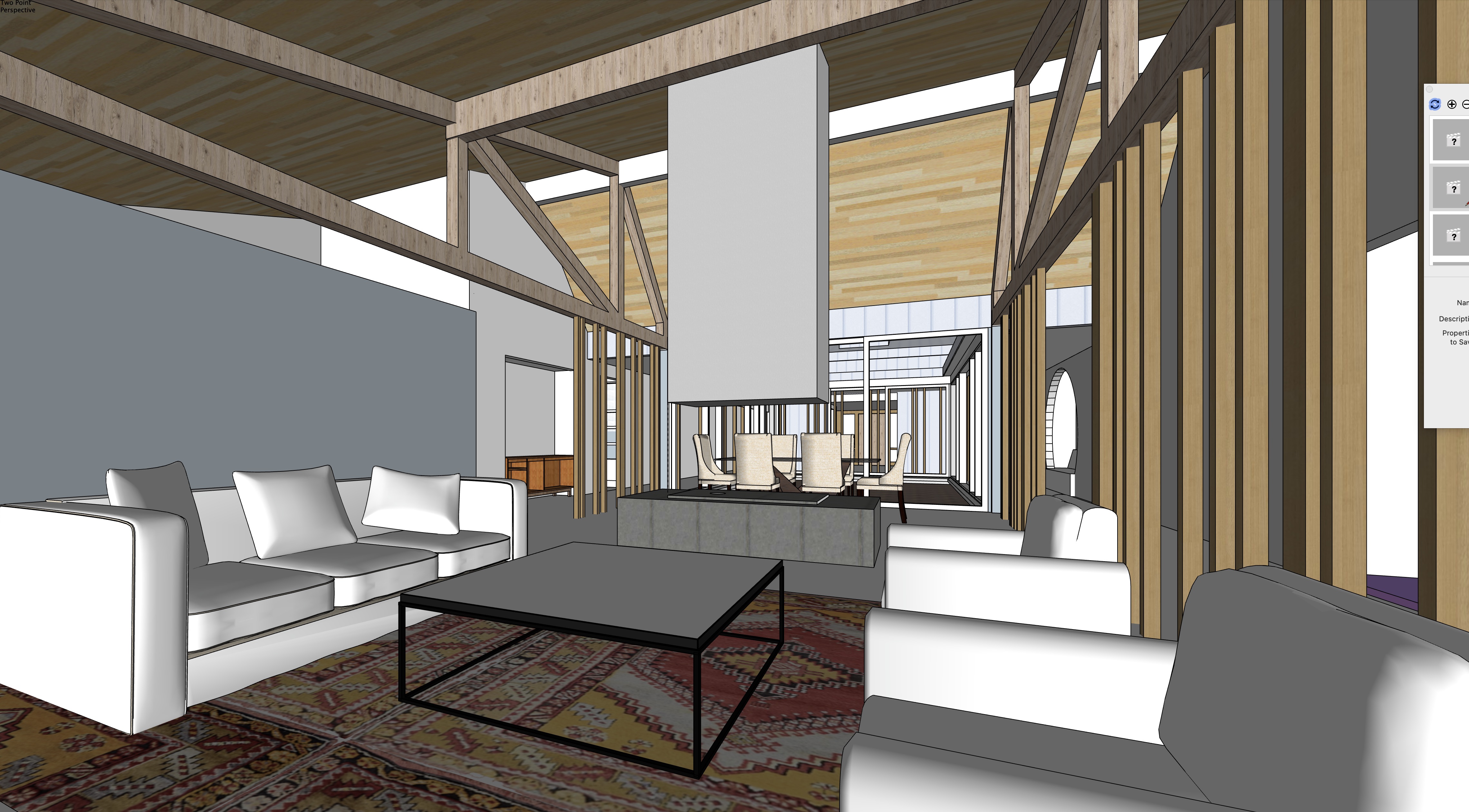
House in the Woods: the SketchUp model you start from
The second is confidence. Not the abstract kind. The kind that comes from knowing your drawing is an asset again, sharpened by real project work, validated by the results, and no longer something you apologize for in a room full of people staring at screens.
The third is your portfolio. Every sketch you make becomes an image worth keeping. Built or unbuilt, realized or abandoned, every idea you explore produces something that shows how you think as a designer. Over time, that becomes a body of work you can actually use.
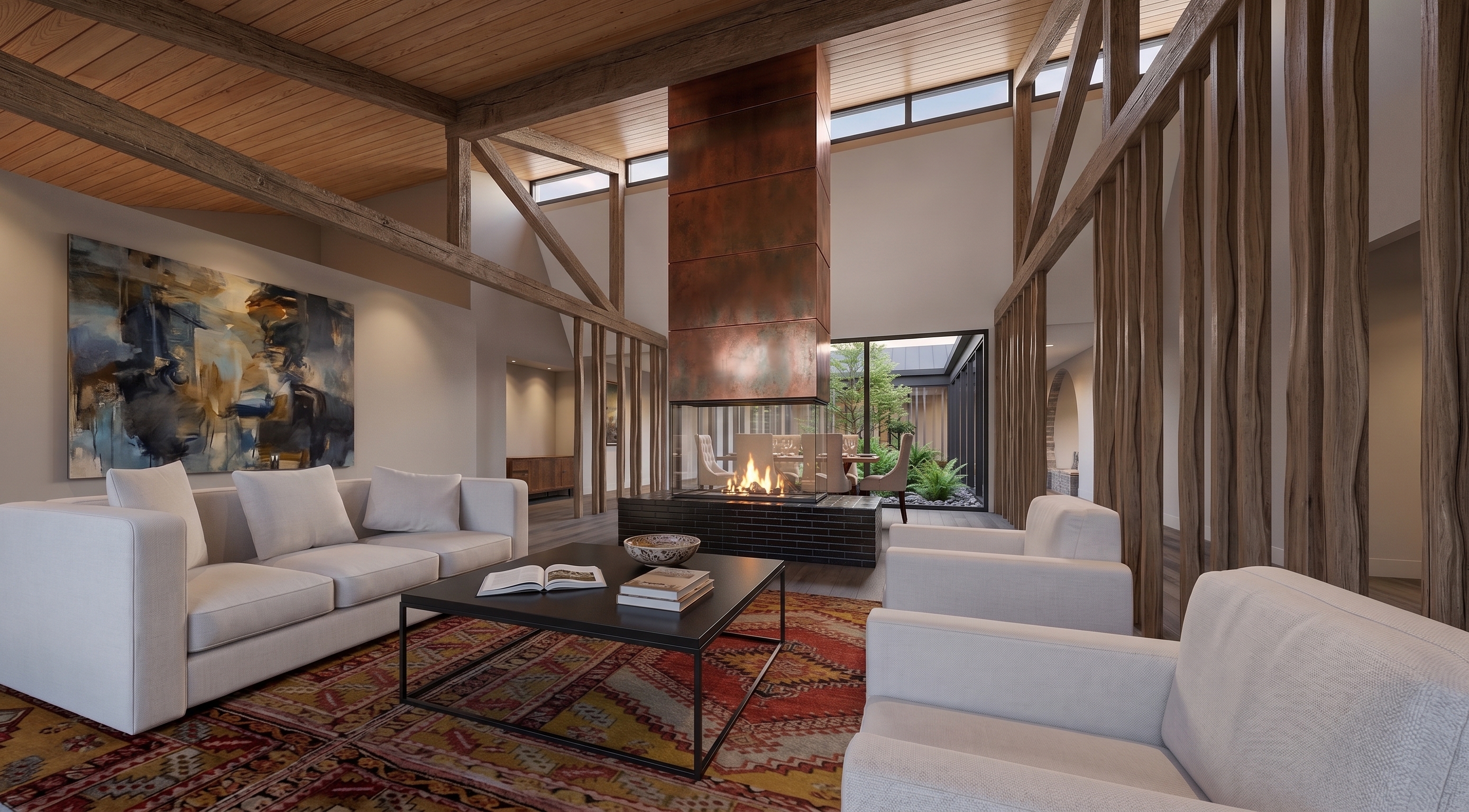
…and the Nano Banana rendering, a few minutes later
The fourth is harder to name, but you'll recognize it when it happens. It's the respect that comes back. From clients. From colleagues. And from yourself, for trusting the instinct that kept you sketching when everyone else put the pencil down.
WHO THIS IS FOR
Designing by hand has come full circle. Drawing matters again. This is for the architect who always knew it would.
It's for the designer who has been watching AI arrive with a mixture of curiosity and suspicion — and who wants to control it rather than let it control them.
It’s for the principal who wants to own the concept phase again. Not delegate it. Not outsource it. Not wait for something that isn’t quite right, but put something compelling in the room themselves, in the time it used to take just to describe the idea.
It’s for the design professional who used to sketch everywhere, on trace, on napkins, in the margins of meeting notes, and who has quietly missed that version of themselves.
It’s for the designer who is tired of the most important phase of every project being the one that moves too slowly.
And it’s for the person who watched one of the iPad for Architects videos, saw a rough sketch become a rendering in under an hour, and thought, I could do that.
You don’t need to be at a particular career stage. You don’t need a particular level of drawing skill. You need to think in three dimensions, recognize what a strong image can communicate, and be ready for the moment when your drawings become the most convincing images in the room.
WHAT’S INSIDE
Start with what’s already on your desk.
READY NOW
Already filmed and waiting in your account:
- Your first render — a real quick win in minutes
- The STUDIO, ADD, and RESET prompts, set up once and reused everywhere
- Sketch → rendering
- An old or archival drawing → rendering
- A sketch over a photo → rendering, for additions and renovations
- A SketchUp or Rhino model → exterior and interior rendering
- Refining materials, light, and atmosphere until it’s right
- Correcting what the AI misread — one thing at a time, without starting over
COMING TO EARLY-ACCESS MEMBERS
Filming now and released as each part is finished — yours at no extra cost:
- Nano Banana as an ego-free design collaborator
- Drawing for AI — sketching so the AI understands you the first time
- The full Prompt Library and printable Workbook & Reference Guide
- Case studies from real projects
Early-access members receive every new lesson and the finished course at no additional charge.
WHY I’M TEACHING THIS
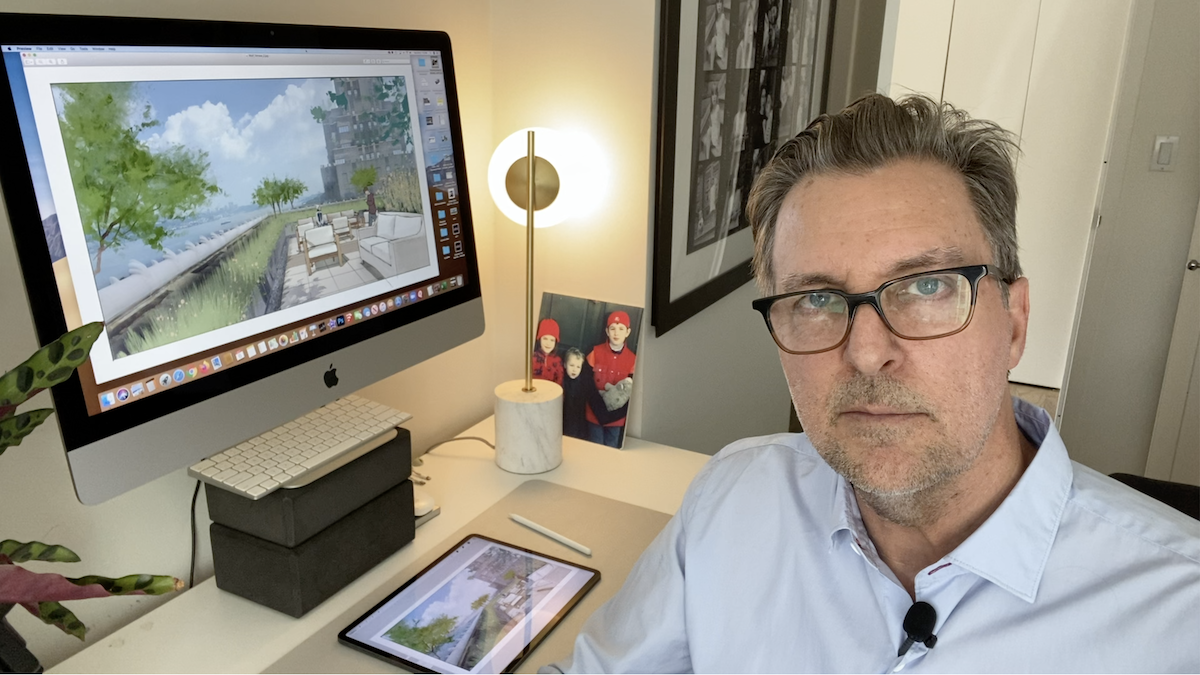
I’m James Akers, a registered architect, architectural illustrator, and the founder of iPad for Architects.
For more than twenty-five years, architecture firms hired me to turn their designs into images that helped clients understand not just what a building would look like, but what it might feel like to be there.
When Nano Banana appeared, I approached it from that perspective, not as an AI expert or prompt engineer, but as an architect and renderer. I spent months testing where it could genuinely fit into the way architects already design, draw, model, revise, and present their work… This course is what I learned.
EARLY ACCESS PRICE
Lock it in now — it's yours to keep.
Right now the course is open at its early access price: $197, one time. When the finished course is released, it goes to $399. Buy now and you lock in $197 for good — and you get every new lesson as it's released, plus the finished course, at no extra cost.
No countdown, no fake deadline. The only thing that changes over time is the price, because there's more course. And you've got a 30-day money-back guarantee: if it isn't for you, tell me and I'll refund you.
Start Nano Banana for Architects
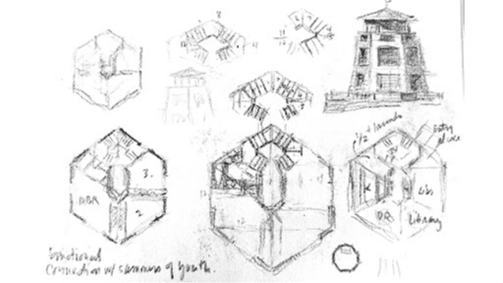

Concept sketches on the left; Nano Banana rendering on the right
You don't need beautiful drawings, perfect prompts, rendering experience, or any programming knowledge. You need something to sketch on--paper, trace, an iPad, whatever you already reach for--a little curiosity, and a willingness to draw. Everything else, we work through together, lesson by lesson.
To follow along you'll want a free Google account for the AI, and some way to get your drawing onto a screen--a phone photo of a paper sketch is fine. If you do sketch on an iPad, Procreate or Morpholio Trace. A Gemini “Pro” subscription makes for a more stable experience but isn't required.
Start today and what's finished is yours right away — plus every new lesson as it's released, and the finished course when it's done.